

Ufficio turns imported transactions into a journal you can inspect. The software records what it receives; the trader adds context, plan and process review.
In brief — Explore the demo first. To work with your data, sign in, connect a provider with read-only credentials, synchronise from Analytics, and compare several trades with the original source before interpreting metrics.
Transparency and documentation boundary — Emiciclo publishes Cyclepedia and produces Ufficio. This manual documents controls, inputs, observable outputs, dependencies and error recovery. It does not expose scoring formulas, weights, algorithms, encryption, code or other reserved rules.
Recommended path
- First access and demo mode — tell sample data, public journal and personal account apart.
- Connect an exchange or provider — complete UID, licence and read-only credentials without exposing secrets.
- Synchronise and verify trades — understand when data appears and reconcile a sample.
- Read the Dashboard — P&L, costs, equity and transaction table.
- Use Analytics — drawdown, performance, capital, exports and manual sync.
- Complete the Diary — setups, notes, voice and reminders.
- Use Ufficio on mobile — touch navigation without relying on hover.
- Solve common problems — session, API, missing trades and inconsistent metrics.
The interface at a glance
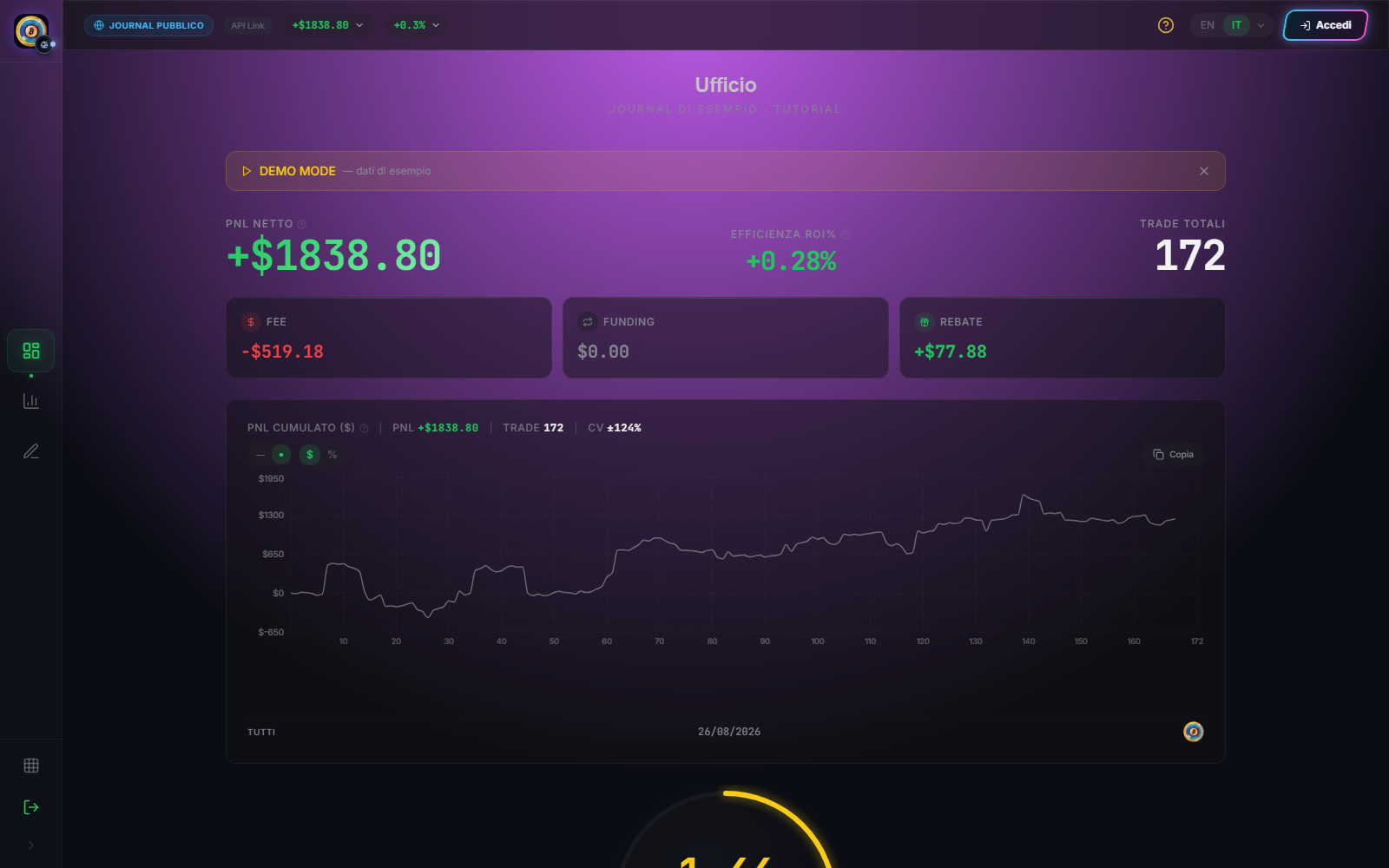
- Dashboard: summary of the selected sample.
- Analytics: deeper comparison, export and manual synchronisation.
- Diary: qualitative observations attached to trades.
- Settings: profile, providers, licences and credentials; sign-in required.
- Desktop or mobile navigation: changes the page, not the data perimeter.
The old Sacred Hour route that may still appear in Ufficio is a separate WIP surface. Current competitions belong to Tournaments and are outside this manual.
The check before every metric
A figure becomes readable only after checking data origin, selected provider, period, reference capital and synchronisation state. A missing field does not automatically mean zero; demo data is not account data.
Nicola as tutor
Ask Nicola: “how can I try Ufficio without connecting an account?”, “where do I enter my API key?”, “how do I synchronise trades?”, “why does P&L differ?” or “how do I add a Diary note?”. The answer must cite the relevant procedure. If a case depends on an undocumented provider condition, Nicola must say so rather than invent permissions or internal logic.
Sources
- Ufficio in the Emiciclo app — official operating interface.
- Ufficio: product overview — identity, scope, access and general limitations.
- Cyclepedia technical verification: comparison on 2026-08-25 with current Dashboard, Analytics, Diary and Settings routes and components, built-in demo, connection flow and synchronisation flow.