

On a phone, the main functions remain the same, but navigation moves to the bottom bar and long content is read by vertical scrolling.
Goal — Reach every area, open a trade and change views without searching for hover effects or off-screen controls.
Touch rule — A single tap activates a control. Start scrolling from free space or content; avoid dragging on buttons, interactive charts and selectors when you only want to move the page.
Find your way
The bottom bar shows Dashboard, Analytics, Diary, and either sign-in or Settings according to session state. The selected item is highlighted. The top summary retains P&L and access, while some desktop options move into menus or lower sections.
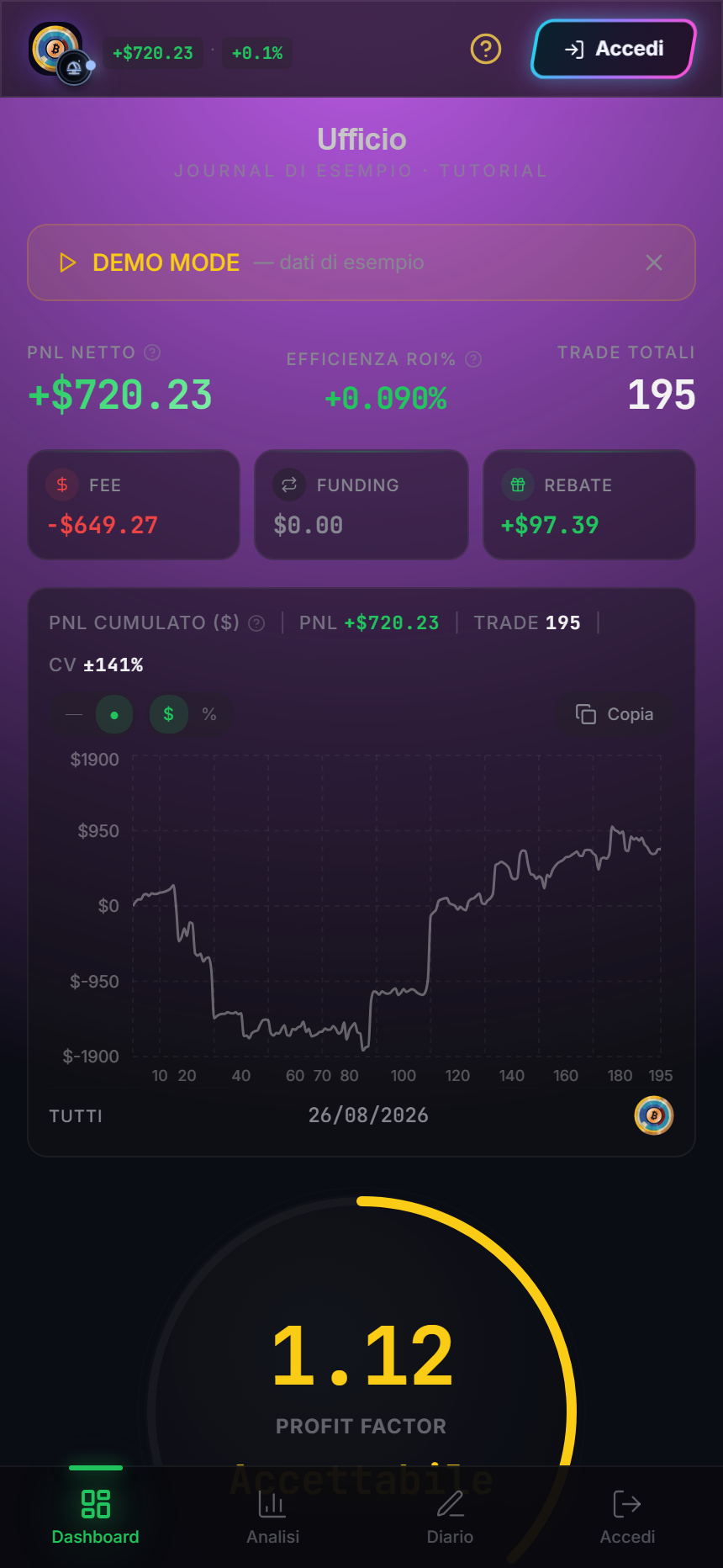
Reliable actions
- Tap a bottom-bar item and wait for its highlight to change.
- Scroll down the Dashboard to reach further metrics and trades.
- Tap a chart point or trade card to open detail; use the modal close control to return.
- On charts, a tap selects when supported. Drag from the frame or free space to continue page scrolling.
- In the Diary, select a row and fill fields with the keyboard. Wait for saving before changing page.
Connection and write functions require sign-in. If the bar shows Sign in, you are in a visitor view; Settings and manual synchronisation are not available.
When the layout looks clipped
Close the keyboard, rotate once and return to portrait, then scroll to the top. If a horizontal panel contains more options, scroll that panel sideways. Do not zoom until modal close controls leave the screen.
Observable result
You should be able to reach Dashboard, Analytics and Diary, open and close detail, and identify demo, visitor or personal state without a mouse hover.
Sources
- Ufficio in the Emiciclo app — operating responsive layout.
- Ufficio Dashboard and Ufficio Diary — meaning of controls opened on mobile.
- Cyclepedia technical verification: test on 2026-08-25 with a 430×932 touch viewport, bottom navigation, scrolling and the built-in demo dataset.