

The Cyclic Board manual teaches you how to compare one market across several time scales. It starts from visible controls, states what should change after each action and separates missing data from a genuine zero result.
In short — On first use, choose the asset, check the analysis time and start with Sundial. Open Composite after understanding that mode, phase and color organize an observation; they are not buy or sell orders.
Transparency and trade-secret boundary — Emiciclo publishes Cyclepedia and produces the Cyclic Board. This manual documents controls, inputs, observable outputs, dependencies and errors. It does not expose or reconstruct formulas, coefficients, weights, calibration, code or other proprietary rules.
Recommended path
- Access, profile and session — separate login, entitlement, shared feed and service states.
- First launch and asset selection — choose the market and check data freshness.
- Guided tutorial — learn Route, Window and Ramp through the built-in path.
- Read the Sundial — separate cyclic position, projected turn and observed confirmation.
- Read the Composite — compare timeframe shapes without confusing the lens with the market.
- Compare several tabs — keep asset, view, mode and timestamp separate.
- Language, theme and saved context — understand browser and URL persistence.
- Use the Board on mobile — tap, scroll and open details without hover.
- Troubleshoot common problems — identify access, loading, missing data, errors and stale analysis.
Quick interface map
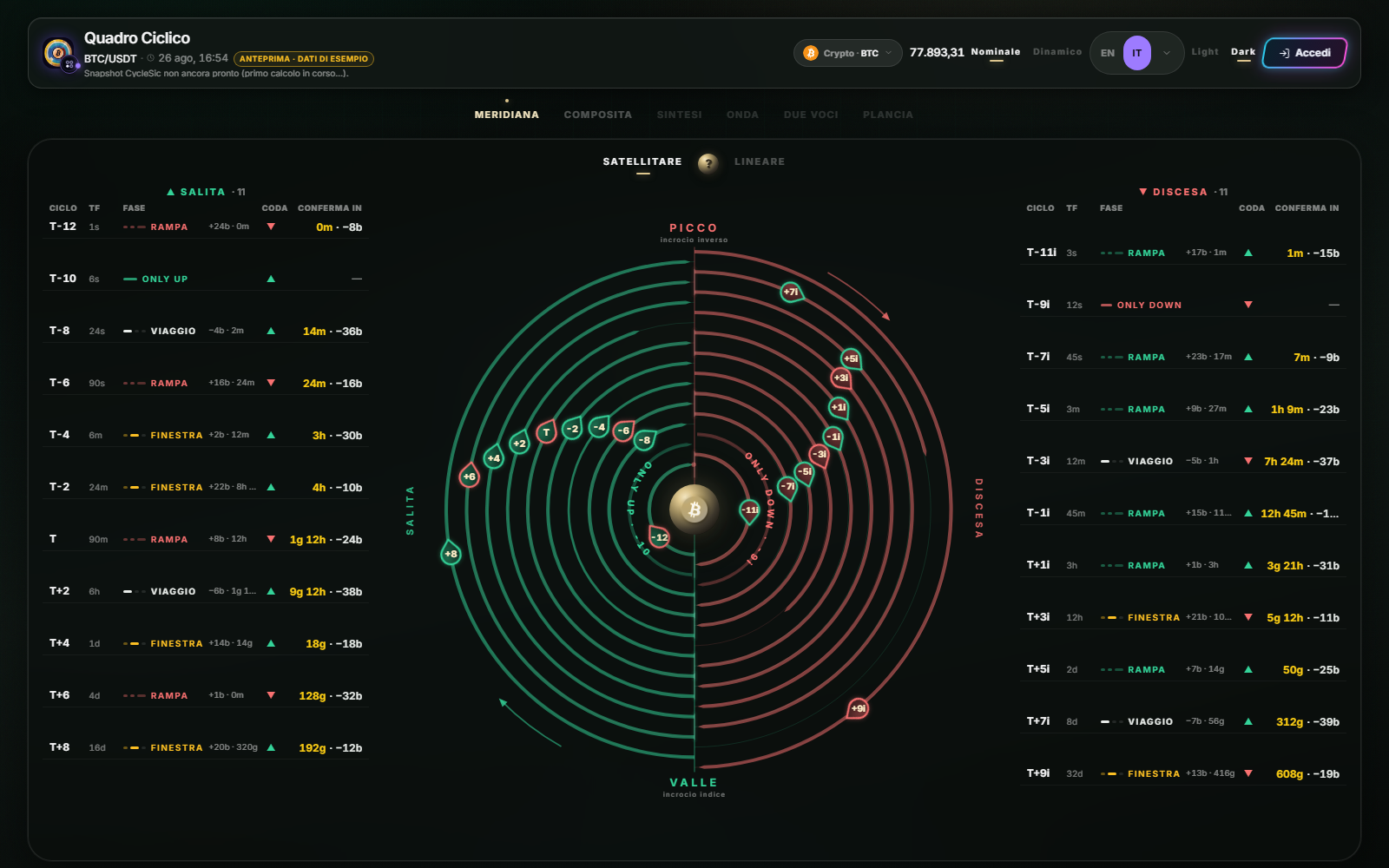
- Header: symbol, analysis time, asset, price, mode, language, theme and profile.
- Tabs:
SundialandCompositeare operational.Summary,Wave,Two VoicesandBoardare shown as coming soon. - Main area: displays the selected view. Sundial offers
SatelliteandLinear. - Lower table: compares degrees and opens a card when you select a row.
The check that comes first
Before interpreting a phase, confirm the asset, mode, recent timestamp and completed loading state. The top price and the analysis may update on different schedules; the analysis timestamp determines Cyclic Board freshness.
Nicola as manual tutor
You can ask Nicola “how do I change the asset?”, “what is the difference between Satellite and Linear?”, “what does On ramp mean?” or “why is price updating while the Board is not?”. Nicola must cite the relevant procedure. It must not invent formulas or commercial permissions.
Sources
- Cyclic Board in the Emiciclo app — official operating interface.
- Cyclic Board product overview — scope, access and general limits.
- Cyclepedia technical verification: compared on 2026-08-25 with the current runtime, multilingual labels, enabled views, asset selector, loading states and desktop/mobile layout.