

The built-in tutorial explains the Sundial without prerequisites. A small moon represents a cycle degree and keeps the path toward a turn separate from observed confirmation.
Goal — Finish the path able to identify
Route,WindowandRamp, then find the same states on the live Sundial.
Documentation boundary — The tutorial teaches the interface’s visual grammar. It does not describe proprietary formulas, internal durations, thresholds or criteria.
Open the path
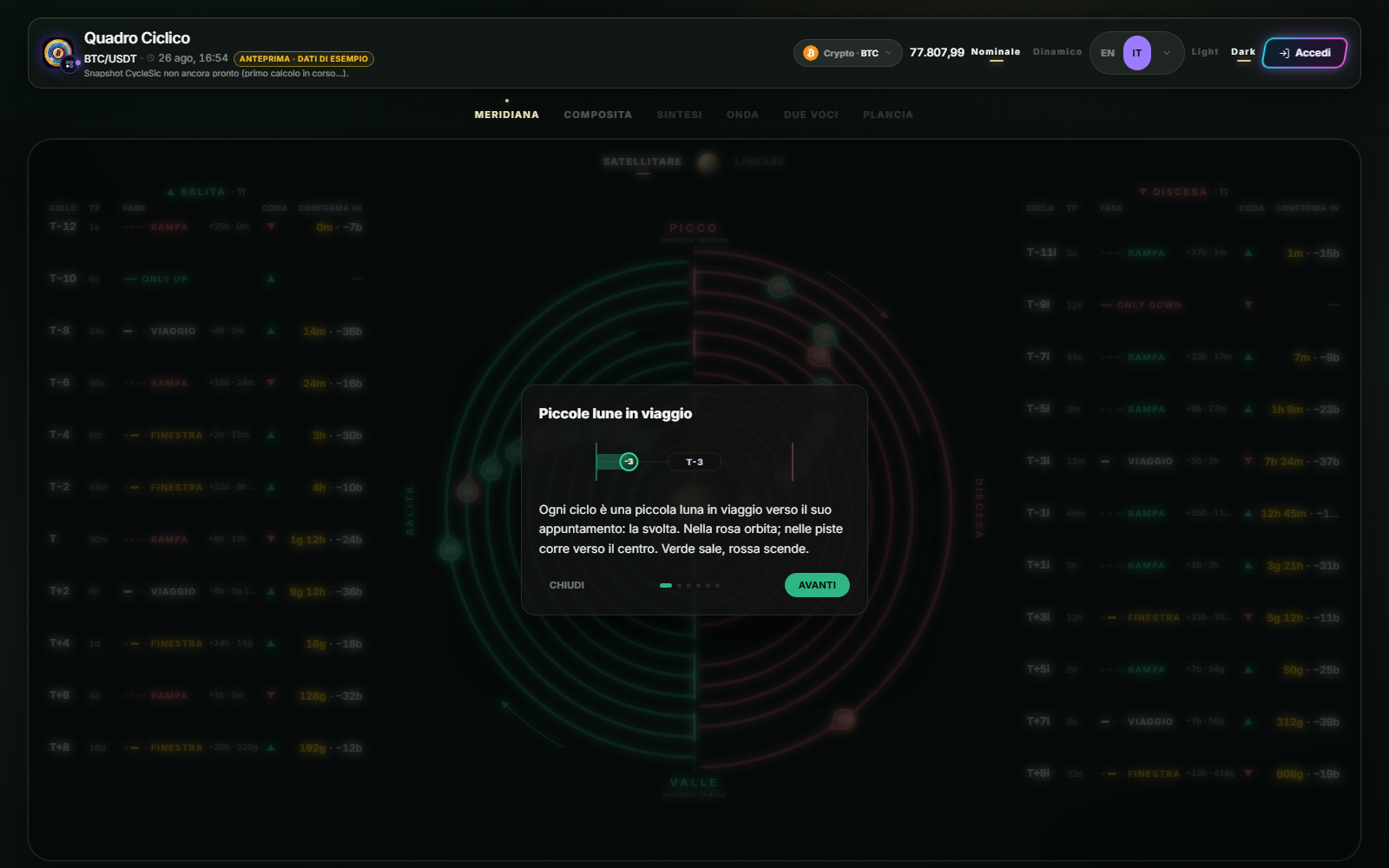
- Open
Sundial. - Select the small moon with
?betweenSatelliteandLinear. - Use
NextandBackacross the six pages. - Select
Doneto return to the Sundial.
Closing the tutorial does not change the asset, mode or data. You can reopen it at any time.
What the six pages teach
The first introduces the travelling moon. The middle pages explain the phases: the path has not arrived, the projected window has been reached, or the preliminary condition is present while the cross is still pending. The fifth shows the card opened by a tap; the last summarizes all three phases.
The key distinction is simple: the solid line describes the path toward the projected turn, while the dot tracks confirmation. Reaching the window does not mean confirmation has already occurred.
After Done, select one degree and open its card. Compare phase, tail side, appointment and cross with the tutorial. Repeat once in Satellite and once in Linear: the drawing changes, not the data state.
If a term remains unclear, use How to read the Sundial. Nicola may explain the visible control and cite this procedure; it must not turn a phase into trading advice.
Sources
- Cyclic Board in the Emiciclo app — official built-in tutorial.
- How to read the Sundial — complete operating guide.
- Cyclepedia technical verification: tutorial opening, navigation, contents and closing checked on 2026-08-26 against the current runtime.