

The asset is the market you want to observe, such as BTC, an index or a forex pair. When you change it, the Board requests and rebuilds the views for that symbol.
Goal — Reach a screen where the symbol, selected market and analysis time agree. Do not interpret cycles before this check is complete.
Documentation boundary — This procedure explains the interface and visible result, not the formulas used to calculate phases or components.
Open the Board
- Open Cyclic Board and sign in.
- If a subscription or authorization page appears, check your profile in the app; Cyclepedia cannot change permissions.
- Wait until
Reading the phasesdisappears. - Check the symbol and analysis time in the header.
The expected result is a Sundial or Composite view with at least one available row or degree. A visible loader means “calculating”, not “zero”.
Choose the market
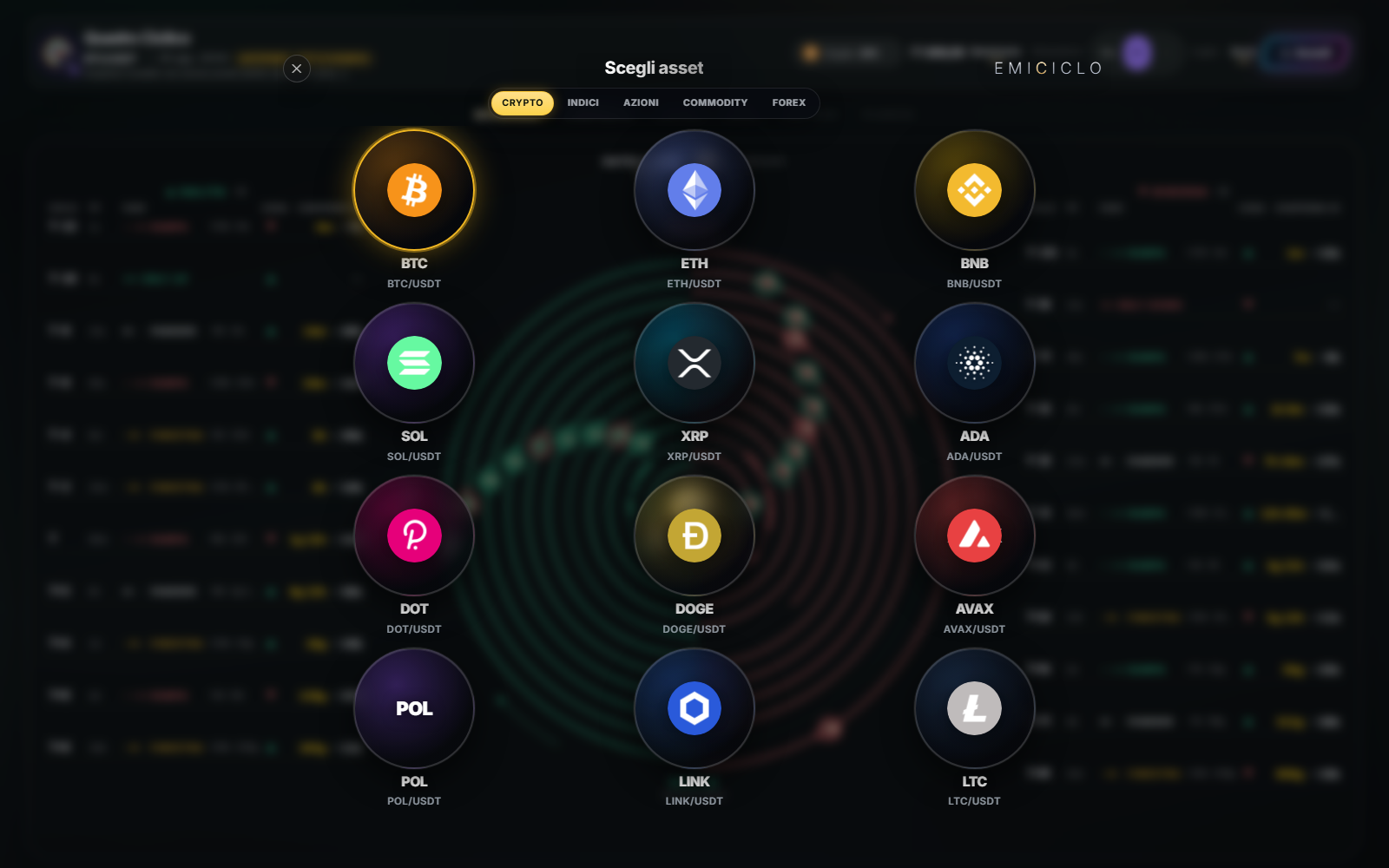
- Select the button showing the current asset.
- Open
Crypto,Indices,Stocks,CommoditiesorForex. - Tap or click the desired symbol.
- Wait for reloading and verify the symbol in the header.
A normal click replaces the asset in the current tab. The new-window action, or Ctrl/Cmd + click when supported, keeps different markets in separate tabs.
Price, timestamp and mode are different
- Price is the quote received by the ticker.
- Timestamp states how fresh the Board analysis is.
NominalandDynamicchange the Sundial analysis mode, not the asset.- In Composite, the mode pill cycles through
DOMINANT,LEGACY,DIREKTORandBEST 3. That changes the analytical lens, not the market event.
The URL may retain symbol, view and mode. A bookmark preserves those choices, not data freshness; recheck the header after opening it.
Professional check
Before comparing two readings, record asset, view, mode and update time. If any of them changes, the contexts are not identical.
Sources
- Cyclic Board in the Emiciclo app — official selector and header.
- Cyclic Board manual — complete path.
- Cyclepedia technical verification: asset selection, URL parameters, loading states and desktop/mobile controls checked on 2026-08-25.