

Open the CycleSic catalogue with ƒx Indicators. You can search for a study, read its card, add it to the chart and, when permitted, change its visible settings.
Trade-secret boundary — This manual documents use and visible output. It does not publish proprietary formulas, coefficients, weights, code, hidden thresholds or calibration.
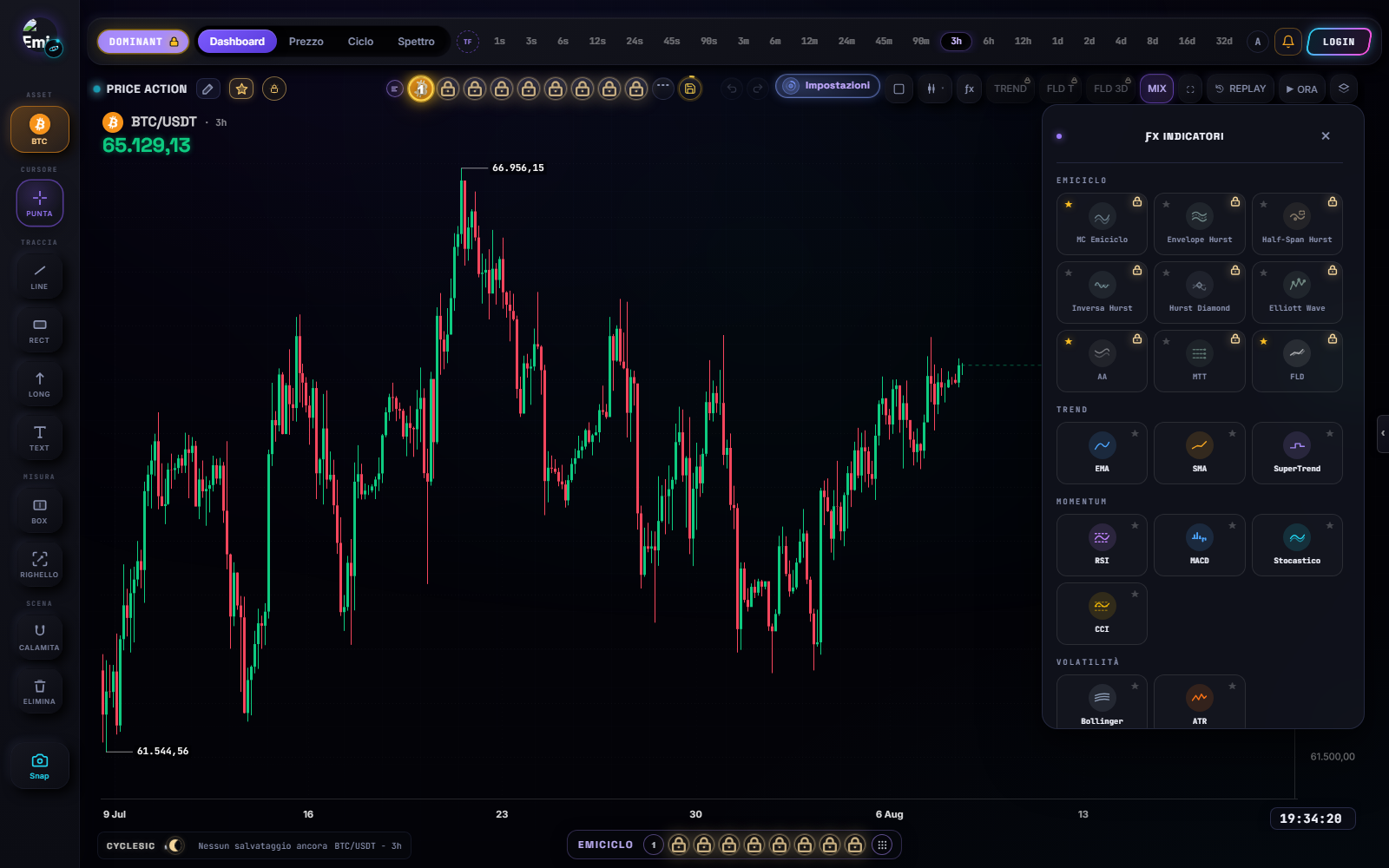
Add an indicator
- Confirm asset, timeframe and data.
- Select ƒx Indicators.
- Search for the name or browse the relevant category.
- Open the study card and read its purpose, visible inputs and placement.
- Use the available add control.
- Close the catalogue and wait for rendering or calculation.
Expected result: the indicator appears over price or in its own pane, and its name is visible in the legend or object manager.
Catalogue families in the verified interface
The current catalogue includes standard tools such as moving averages, Bollinger, VWAP, SuperTrend, Volume, RSI, MACD, Stochastic, CCI and ATR, plus Emiciclo tools including MC Emiciclo, Hurst Envelope, Hurst Half-Span, Hurst Inverse, Hurst Diamond, Elliott Wave, AA, MTT, Sicanderian Schematics and FLD.
Catalogue presence does not guarantee access. Names, groups and availability can change after the verification date.
For the proprietary Elliott Wave study, continue with the count, panel and invalidation guide.
For the Hurst Inverse, continue with the guide to the wave, the dashed tail and the reading line.
Configure, hide or remove
Open the indicator settings from its legend, pane or object manager. Change one parameter at a time, inspect the preview, then confirm or undo. Use visibility to hide the study temporarily and delete to remove it. Save a layout first if you need the original configuration.
| State | Meaning | Action |
|---|---|---|
| visible with values | an output has been rendered | check scale, settings and latest bar |
| blank or loading | no output is available yet | check history, wait and service status |
| locked | session or profile does not enable it | check current access; do not infer a value |
A calculation error is not “no signal”. It is a technical state.
If it fails
- Close overlapping panels if the catalogue will not open.
- Check authentication and the visible message when a study is locked.
- If a study does not appear, wait, check history and inspect the object manager.
- If a pane looks flat, check its own scale rather than only price scale.
- After changing timeframe, read the configuration again because sampled inputs changed.
Sources
- CycleSic in the Emiciclo app — operating catalogue and panes.
- Cyclic analysis in CycleSic — cautious use of cyclic surfaces.
- Cyclepedia technical check: verified on 2026-08-08 against the visible catalogue and indicator registry in
cyclesic-v2/; proprietary mathematical implementations are excluded.