

CycleSic alerts monitor conditions configured by the user and record an event when a condition is detected. They are technical reminders: they do not forecast the market or submit orders.
Transparency — Emiciclo produces CycleSic and publishes Cyclepedia. Availability, synchronisation and delivery channels depend on session, permissions, browser and current services.
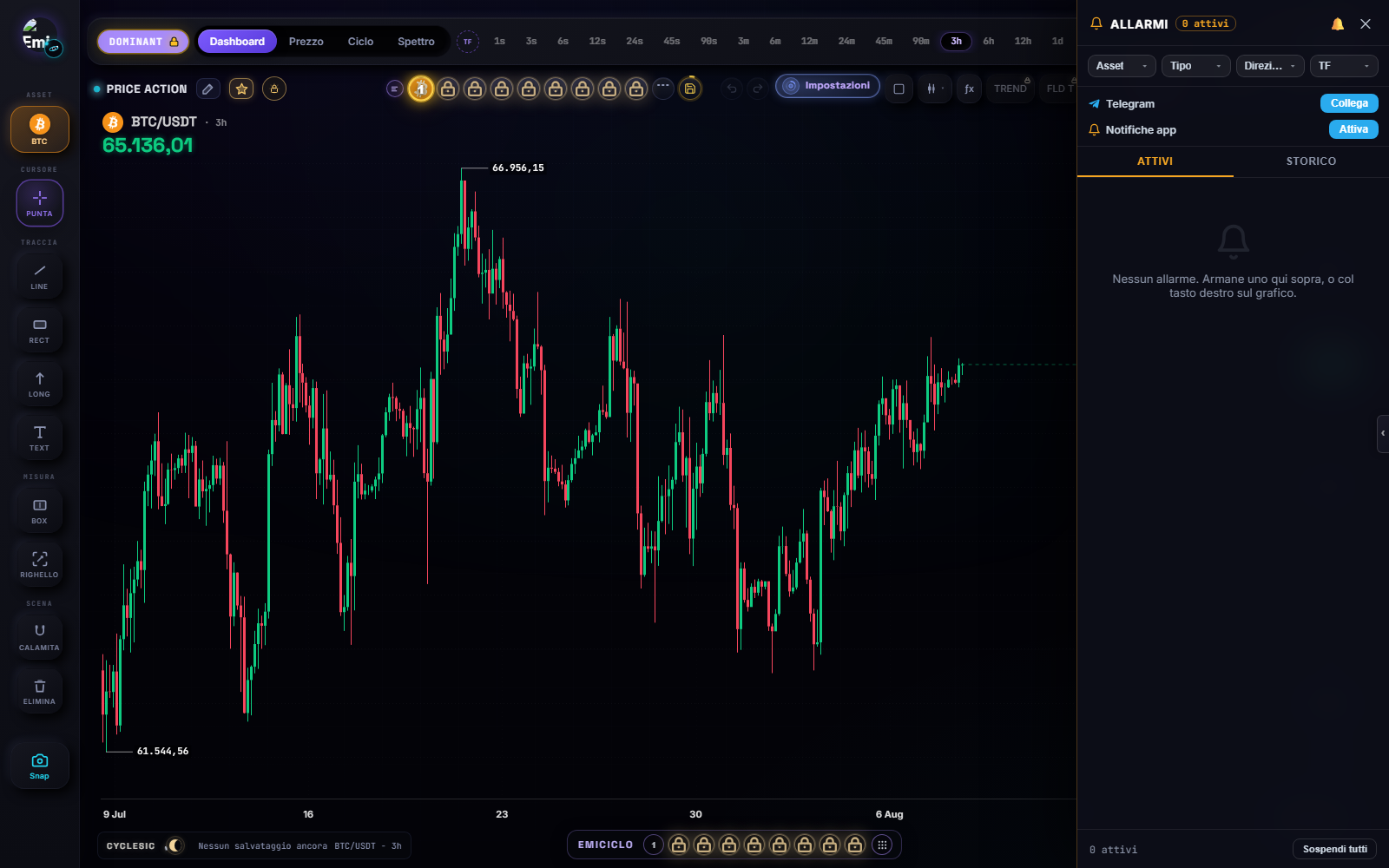
Create a price alert
- Open the correct asset chart.
- On desktop, right-click the required price level.
- Choose the price-alert command.
- Check level, direction and one-shot or repeated behaviour when shown.
- Confirm, open the bell panel and verify that the alert is active.
On mobile, use the contextual gesture shown by the interface, normally a long press. Run the gesture tutorial if the command does not appear.
Expected result: the alert level appears on the chart and a record tied to the symbol appears in the panel.
Create a time alert
Place the cursor at the required date or time, open the chart context menu, choose the time alert, verify time and timezone, then confirm it in the panel. A time alert marks an appointment; it does not predict a reversal.
Indicator alerts
The engine also supports indicator-related events when the function is exposed and enabled. These can be timeframe-specific. Check the study name, interval, visible event and access state. Do not infer an undocumented condition from an indicator name.
Move, disable or delete
With Select / navigate active, select the alert line or marker, drag it to the new level or time, release it and verify the updated value in the panel. The menu can change direction, enabled state or one-shot behaviour when available.
On mobile, the first tap can select the alert and a subsequent drag can move it. Always verify the final threshold. Use the state control to disable without deletion; inspect history for fired events; rearm only after checking that the condition remains meaningful.
Delivery channels and troubleshooting
The interface can show in-app, push or Telegram options. A visible button does not prove that the channel is configured. Test it in the app and check browser/device permission. Never rely on a single notification channel for risk control.
If an alert does not fire, check symbol, enabled state, threshold or time, direction, timeframe for indicator events, session, delivery permission and history. A delivery failure does not prove that the event did not occur.
Sources
- CycleSic in the Emiciclo app — operating panel and chart.
- Settings and mobile — gestures and alert preferences.
- Cyclepedia technical check: verified on 2026-08-08 against price/time/indicator records, chart menu, activation, history and channel controls in
cyclesic-v2/.