

Holy Hour uses daily rounds. The shorter rhythm makes timer, last update and provisional status especially important before reading a rank.
Documentation boundary — “Daily” describes round cadence. It does not promise that every figure or payout becomes final when the timer expires. Verification, closing and current rules remain decisive.
How does the Holy Hour daily round work?
The round collects recognised activity inside the window shown by the app, updates the Cockpit and Live Race, and then moves through closing and the required checks. The next round has its own period; do not add results or timers manually.
Explore the Live Race
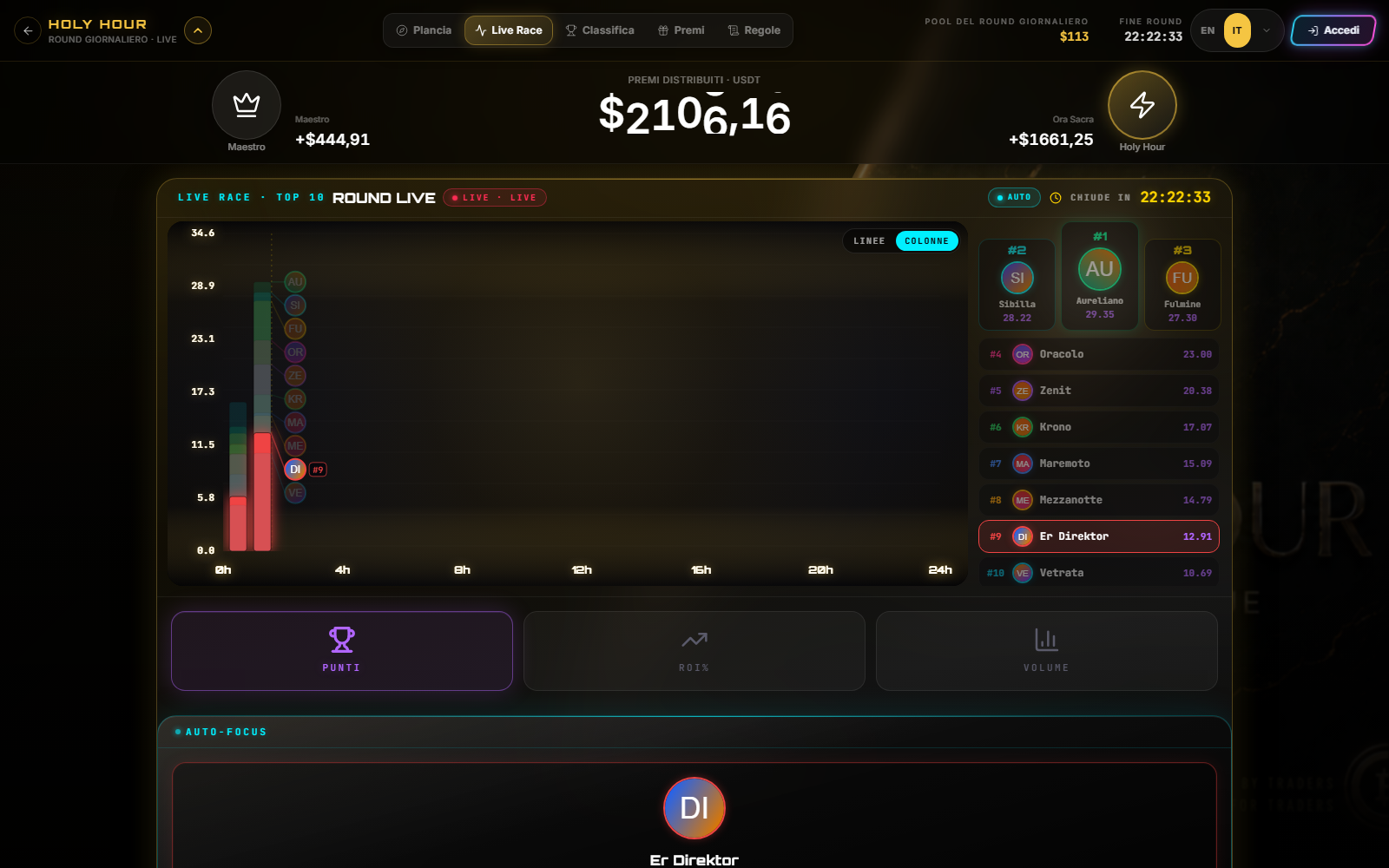
- Read the round number or date and countdown.
- Choose the available view: points, ROI or volume.
- Switch between lines and columns when the control is shown.
- Select a top-ten entry to focus it.
- Open Leaderboard for full ordering and Prizes for the economic perimeter.
Personal Cockpit and preview
As a visitor, the Cockpit may show a public profile or Preview. After enrolment it shows recognised account data. Zero can mean no valid activity in the round; a dash can mean unavailable or loading data.
Switch to Maestro
Use the crown in the upper band. The zone switch does not turn a daily round into Maestro data: check title and cadence immediately afterwards.
Short-window risk
A shorter duration does not justify greater leverage, frequency or size. Set maximum risk and no-trade conditions first; the timer is competition information, not a trade signal.
Sources
- Holy Hour in Tournaments — Cockpit and operating tabs.
- Leaderboard and score — number interpretation.
- Cyclepedia technical verification: daily round, demo, Live Race and zone switch checked on 2026-08-26.